Super Funny Ringtones & Sounds
- 4.6
- Rating
- 1.00M
- Installs
- Free
- Price

 Analysis by App-foxy
I like personalization apps that do one small job clearly, and Super Funny Ringtones & Sounds takes that approach. Instead of trying to replace every sound setting on a phone, it focuses on playful audio for calls, text messages, and notifications. I tested it with the mindset of someone who wants a ringtone that gets a reaction without spending time searching through unrelated music or recording clips.
My first impression is that this is an easygoing choice for people who find standard phone sounds too dull. It is free to install, aimed at Everyone, and belongs to the personalization category. GeniusTools Labs is the developer, and the app has built a noticeable audience, with over one million installs and a 4.6 average from around twenty-eight thousand ratings. Those figures suggest that the basic idea connects with many Android users, although popularity alone does not tell you whether its humor matches your taste.
How the app feels in everyday use
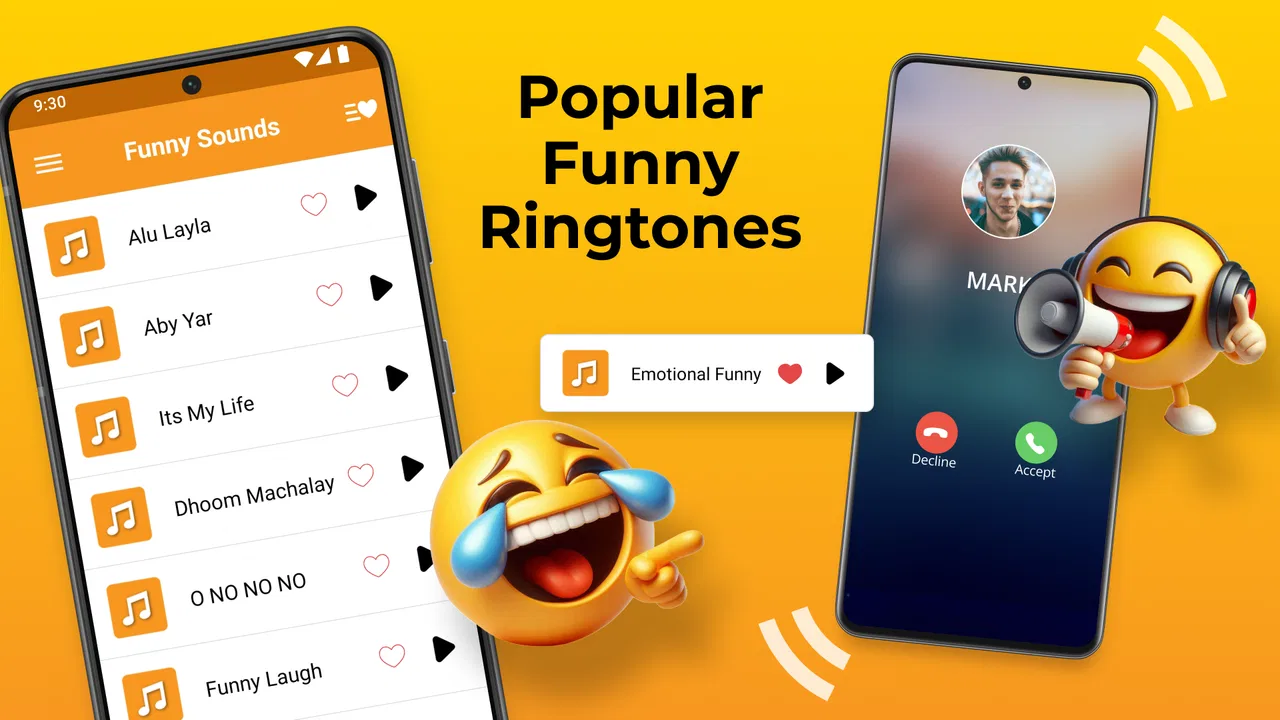
The central experience is simple: browse funny sounds, choose one for a call or alert, and move on. That simplicity matters because ringtones are usually something I configure once and then forget about. I do not want a complicated editor when my actual goal is to make my phone sound different from everyone else’s.
You May Also Like

 Blood Strike: 2.5 Anniversary
Blood Strike’s Loadouts Turn Every Drop Into a Tactical Gamble
A close look at Blood Strike’s custom loadouts: how fast access to signature weapons reshapes its battle royale rhythm, rewards preparation, and narrows the gap between fights.

 Pandora - Music & Podcasts
Pandora’s Music Is Easy to Start, but Harder to Recover
Pandora’s strength is its low-effort path from a seed to a station. Its weak spot is how much confidence it asks you to place in connection, setup, and quiet recovery.

 8 Ball Pool
 Is Built on Rivalries, Rematches, and Routine
A close look at the rivalries, rematches, shared routines, and unanswered safety questions that turn a quick pool match into a persistent mobile community.

 Samsung Music
’s Quiet Strength Is Playing What You Already Own
Its reach comes less from spectacle than from dependable access to a personal library. That simplicity is both the app’s strongest retention engine and its ceiling.

 AccuWeather: Weather Radar
AccuWeather Review: A Quick, Clear Forecast for Everyday Decisions
For everyday plans, the best forecast is the one you can understand quickly. AccuWeather makes rain timing, radar, and local conditions easy to act on, with a few trade-offs.

 Hill Climb Racing
Why Hill Climb Racing Still Turns Crashes Into One More Run
A tiny car, a bumpy hill and one more upgrade: Hill Climb Racing keeps resurfacing because its simple chaos makes every near-miss feel personal.
More From Our News Desk



The app’s strongest appeal is variety within a very specific mood. A conventional ringtone collection usually leans toward musical loops, calm tones, or polished notification effects. This app is better suited to someone who wants a comic interruption, an exaggerated reaction, or a sound that makes friends look over when the phone rings. It feels less like a serious audio tool and more like a small box of personality options.
I would not install it expecting professional audio customization. It is not the right replacement for a full ringtone editor, a music library, or a system utility that gives deep control over every sound channel. Its value comes from ready-made amusement. If you want to trim a song precisely, mix clips, or create a carefully timed notification scheme, a dedicated audio editor will be a better fit.
What speed feels like during normal browsing
For this kind of app, perceived speed is mostly about how quickly I can move from opening the catalog to hearing a sound and selecting it. The experience is most useful when browsing feels lightweight: tap a sound, decide whether it suits the moment, and continue without turning the process into a project.
There is also a practical difference between browsing casually and searching under pressure. If I am choosing a sound while setting up a new phone, I can take time to sample several options. If I am standing in a quiet room trying to change a notification before a meeting, I want to avoid repeatedly previewing loud or awkward clips. My advice is to explore the collection at home, then keep one or two sensible choices ready for daily use.
A useful workflow is to separate sounds by social setting rather than by personal taste alone. I would choose something unmistakably funny for calls from close friends, a shorter and less disruptive option for messages, and a restrained alert for work. That prevents the common problem of picking a hilarious sound that becomes irritating after hearing it repeatedly.
The app is also easier to judge when I treat previews as decisions, not entertainment. Funny audio can be enjoyable during setup but exhausting when it plays several times every hour. I recommend listening at the volume you normally use and imagining the sound in a queue of real notifications. A clip that works once at home may be a poor choice in public transport or a shared office.
When repeated use becomes demanding
Heavy use here does not mean editing long audio files or running a demanding game. It means browsing many sounds, previewing them repeatedly, and changing assignments several times. That is where the app’s practical burden is more likely to appear: not in the humor itself, but in the time spent deciding which sound remains tolerable after the novelty fades.
I found the best approach is to make a short personal shortlist. Rather than sampling everything, I would select a few sounds for different purposes and stop once the phone feels distinctive. This reduces unnecessary browsing and makes later changes quicker. It also exposes an important trade-off: a large collection gives you more choice, but more choice can make the app feel less efficient if you do not set a stopping point.
People who frequently change themes may enjoy that variety. Someone who wants one dependable alert and never plans to revisit the app may find the catalog more than they need. The app makes most sense for users who enjoy occasional refreshes, seasonal jokes, or different sounds for different contacts and notification types.
Another realistic scenario is a family phone shared by several people. A funny call sound can help identify whose device is ringing, especially when multiple phones use similar default tones. However, I would avoid assigning the loudest or strangest clip to every alert. Shared spaces magnify repetition, and what one person finds amusing can quickly become background noise that bothers everyone else.
Stability and recovering from an interrupted setup
Reliability matters more than novelty once a sound has been assigned. The useful question is not only whether a clip is funny, but whether the app helps me finish the setup without confusion. I prefer making one change at a time, checking the phone’s sound settings afterward, and then testing with a real call or message when possible.
If I leave the app halfway through choosing a sound, I would not assume that an unfinished selection is the final one. My recovery habit is straightforward: reopen the app, choose the clip again, and verify the relevant phone setting. That may sound cautious, but it avoids blaming the app when the interruption actually came from switching applications, locking the screen, or changing system audio settings afterward.
The same check is useful after changing notification behavior at the system level. A phone can have separate controls for calls, messages, and individual applications, so a selected sound may not be heard in every situation. The app focuses on providing the audio choice; the phone’s own notification rules still determine when that choice is used.
I also recommend remembering which sound was assigned to which purpose. Funny collections often contain clips with similar energy, and it is easy to forget whether a particular effect was selected for calls or messages. Keeping a small mental map of your choices makes troubleshooting easier if an alert later seems different from what you expected.
Device limits and Android compatibility
The listed minimum operating-system requirement is Android 7.0, which makes the app accessible to people using older Android phones as well as newer devices. That broad compatibility is helpful, but it does not mean every phone will present sound settings in exactly the same way. Manufacturers can organize ringtone and notification controls differently, and some devices handle background behavior more aggressively than others.
For that reason, I would judge the app together with the phone it is running on. A recent device with plenty of free storage should be a comfortable environment for a sound-focused utility. On an older or heavily loaded phone, I would keep expectations modest and avoid treating the app as a permanent collection of every possible clip if local storage is already tight.
Resource demands are also best considered in context. This is not the sort of app I would choose for intensive multitasking, and I would not keep it open while doing unrelated work. Browse, preview, make the selection, and close it. That workflow limits unnecessary activity and is sensible for anyone who is careful about battery life, storage, or a phone that already feels crowded.
There is a difference between wanting funny sounds and wanting total control over device audio. If you need separate volume behavior for many applications, advanced automation, or detailed contact-based rules, the phone’s built-in settings or a specialized automation tool may serve you better. Super Funny Ringtones & Sounds is more approachable because it stays focused, but that focus is also its boundary.
Free access and the purchase decision
The app is free, which makes trying it low-risk for someone curious about a playful ringtone collection. It also includes optional in-app purchases, with individual items ranging from under one dollar to as much as one hundred dollars. That is the point where I would slow down and check what a particular purchase unlocks before confirming it.
I would begin with the free experience and only consider paying if I had already found that the available sounds fit my routine. A funny ringtone is easy to replace, so I would not spend impulsively just because a preview is amusing. The right question is whether the purchase adds lasting value for your use, not whether it offers another moment of novelty.
This pricing range also means the app is not equally suitable for every budget or every attitude toward personalization. A casual user may be perfectly satisfied without buying anything. Someone who wants a broader or more exclusive selection should review each purchase carefully and make sure the cost matches how often the sound will actually be used.
Who will enjoy it, and who should skip it
I would recommend it to people who want their phone to feel more personal without creating sounds themselves. It is especially suitable for users who like comedy effects, want a recognizable call alert, or enjoy changing their notification style now and then. It can also work well for families and friend groups where a distinctive sound makes it clear whose phone is ringing.
I would skip it if you prefer subtle tones, dislike attention-grabbing alerts, or want a clean, quiet phone. I would also look elsewhere if your main goal is to edit music, record custom audio, organize a large personal library, or automate complex sound rules. The app’s narrow purpose is a strength only when that purpose matches what you need.
Compared with the usual alternatives, the built-in Android sound picker is calmer and often more integrated with the device, but it may not offer the same comic character. A music editor gives much more creative control, but it requires more work. Generic ringtone catalogs may provide broader musical variety, while this app is more focused on humor. I see it as the middle option for someone who wants ready-to-use personality rather than either plain defaults or a full production workflow.
My practical setup routine
When I set up an app like this, I start with calls because a ringtone is easier to notice and evaluate than a short notification. I choose a sound that is recognizable at moderate volume, then assign a shorter or less intrusive option to messages. After that, I check the phone in silent, vibrate, and normal modes so I understand how the selection behaves in my routine.
I also test the choice in the place where I expect to use it. A sound that is funny at home may be embarrassing in a library, a classroom, or a workplace. If the app is being used on a child’s or older relative’s phone, I would favor clarity over comedy and avoid clips that could be mistaken for an emergency or an important system alert.
One less obvious benefit of this approach is that it turns the collection into a small identification system. Different sound styles can distinguish calls from messages without looking at the screen. The trade-off is that the distinction only works if the sounds are genuinely different and not all equally loud or chaotic.
I would revisit the choices after a few days. If a clip still feels pleasant after repeated exposure, it has passed the real test. If I start muting the phone to avoid it, that is a sign to return to the app and select something shorter or calmer. Funny audio works best as seasoning, not as an unavoidable soundtrack to the entire day.
My performance verdict
Super Funny Ringtones & Sounds is a focused personalization app with a clear reason to exist: it gives Android users an easy way to replace ordinary alerts with comic alternatives. Its free entry point, Everyone age rating, and support beginning with Android 7.0 make it approachable, while the current version, 19.1, shows that the app remains actively presented as a current option in its category.
My overall view is positive, with one important qualification: the experience depends heavily on whether you enjoy this style of humor and whether you use it selectively. I would not describe it as a complete audio-management solution, and I would not install it for advanced editing or deep system control. I would install it for quick personality, occasional changes, and a call sound that is easier to recognize than a standard tone.
The best way to use it is to choose deliberately, test in real surroundings, and keep the funniest sounds for moments when they will not become a nuisance. If that sounds like your kind of phone customization, this app is worth trying. If you want quiet, precision, or full creative control, the built-in Android tools or a dedicated editor will likely be the better choice.
After using it, I see Super Funny Ringtones & Sounds as a light, specific tool rather than an essential utility. That is not a criticism. Its appeal comes from doing one entertaining job without asking the user to learn an audio workflow. Just remember that optional purchases can reach a high price, so explore the free experience first and pay only when the sound collection genuinely earns a place in your daily phone setup.
FAQs for Super Funny Ringtones & Sounds
01What features does Super Funny Ringtones & Sounds offer?
Super Funny Ringtones & Sounds provides a wide variety of hilarious ringtones, notifications, and alarm sounds to personalize your phone. The app includes a user-friendly interface, allowing you to easily browse and set your favorite sounds with just a few taps. You can also save sounds as favorites for quick access.
02Is Super Funny Ringtones & Sounds compatible with both Android and iOS devices?
Yes, Super Funny Ringtones & Sounds is available for both Android and iOS devices. The app is designed to work seamlessly across different platforms, ensuring that you can enjoy its features regardless of your device. Check compatibility with your specific OS version before downloading.
03Are there any in-app purchases or ads in Super Funny Ringtones & Sounds?
Super Funny Ringtones & Sounds is free to download and use. However, it includes in-app purchases that allow you to unlock additional premium sounds and features. The free version may contain ads, but purchasing the premium version can provide an ad-free experience.
04How can I set a ringtone from Super Funny Ringtones & Sounds as my default?
To set a ringtone as your default, simply browse through the app's collection and select your desired sound. The app provides an option to set it directly as your ringtone, notification, or alarm sound. Ensure that you have granted the app necessary permissions to modify system settings.
05Is Super Funny Ringtones & Sounds safe to download?
Super Funny Ringtones & Sounds is generally safe to download from official app stores such as Google Play and the Apple App Store. Always ensure you are downloading the app from trusted sources to avoid security risks. Check user reviews and ratings to gauge the app's reliability and performance.
Pros
- Wide selection of unique ringtones.
- Easy to navigate user interface.
- Fast download and setup process.
- High-quality sound files.
- Regular updates with new sounds.
Cons
- Contains occasional pop-up ads.
- Limited customization options.
- Some sounds may be repetitive.
- Requires internet for updates.
- No option for custom sound uploads.

Super Funny Ringtones & Sounds
Gallery